

1080P Auto Focus Mini Projector: 4K Support, Android 11
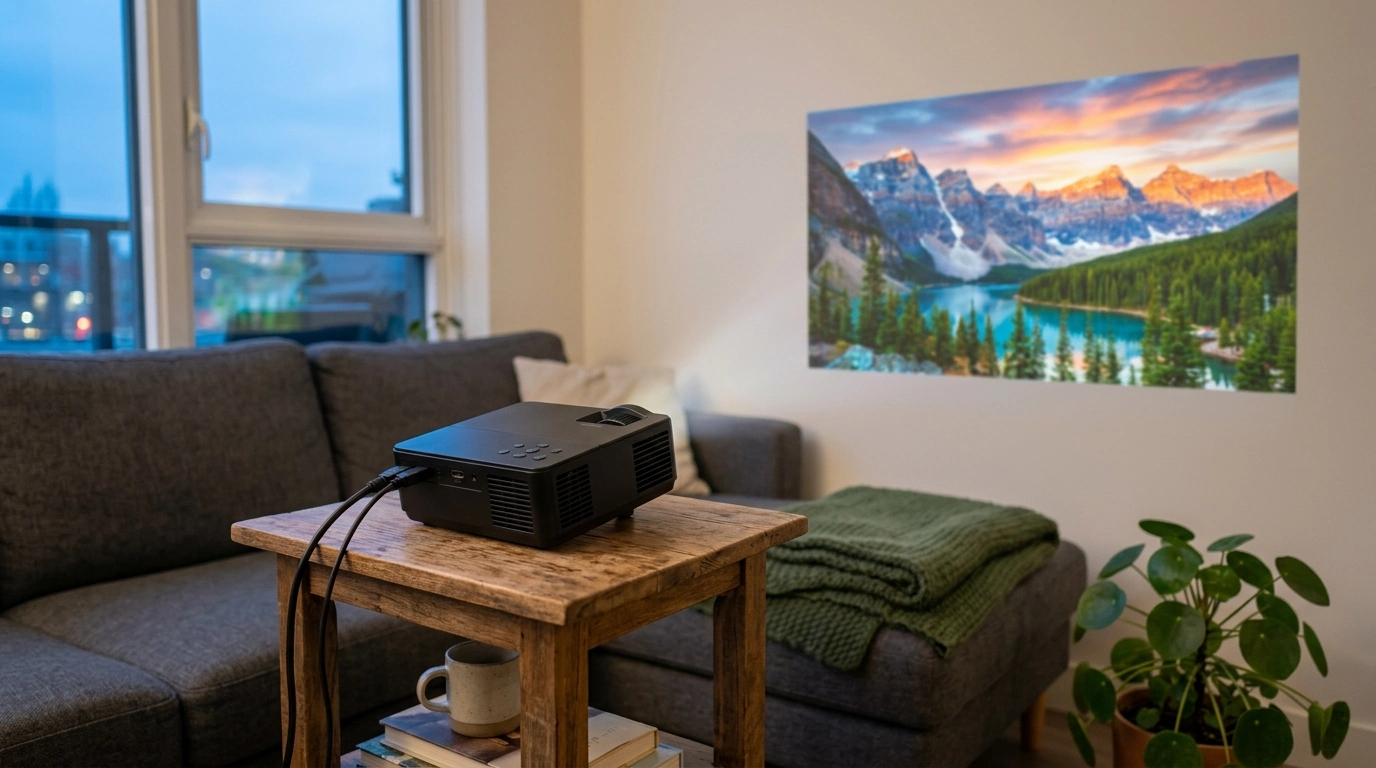
Big-Screen Streaming Made Simple
A mini projector should feel effortless: set it down, power it on, let the picture snap into focus, and start watching. Our 1080P Full HD Auto Focus Mini Projector with 4K Support and Android 11 is built for exactly that—easy home movie nights, bedroom streaming, and flexible setups that don’t require a dedicated TV wall. If you want a compact projector that keeps day-to-day use straightforward, this one is designed around the features that reduce friction: Full HD clarity, auto focus convenience, modern input compatibility, and a built-in smart platform.
What This Projector Is Made For
Not every room (or schedule) supports a permanent big-screen setup. Our team sees most customers using a mini projector for practical, repeatable moments—quick entertainment that doesn’t turn into a weekend project.
- Instant living-room vibe in smaller spaces: apartments, bedrooms, dorms, and guest rooms
- Grab-and-go setups: move it from room to room without redoing the whole install
- Streaming-first viewing: Android 11 onboard helps the projector act like the hub
- Everyday clarity at 1080P: a clean look for shows, sports, and gaming sessions
Full HD 1080P Picture: Clean Detail Without the Fuss
Native 1080P matters most when you’re watching content that includes faces, fast motion, and on-screen text (subtitles, scoreboards, menus). Full HD helps keep edges cleaner and fine details more legible at typical living-room and bedroom sizes—so you spend less time squinting and more time watching.
- Native 1080P resolution keeps text, subtitles, and facial details looking sharp at common viewing sizes
- A strong match for streaming platforms that frequently deliver HD and Full HD content
- Great for mixed use: movies, casual gaming, karaoke videos, workout classes, and at-home presentations
Quick Feature Map (What It Does vs. Why It Matters)
| Feature | What it does | Why it matters at home |
|---|---|---|
| 1080P Full HD | Projects a Full HD image | Sharper movies, cleaner subtitles, and better detail than 720P-class projectors |
| Auto focus | Adjusts focus automatically | Faster setup and fewer interruptions when the projector gets moved |
| 4K support | Accepts 4K input and plays it back | More device compatibility and smoother handoff from modern sources |
| Android 11 | Built-in smart OS for apps and streaming | Less dependence on extra streaming sticks and boxes |
Auto Focus: Set It Down, Let It Lock In
Auto focus is one of those features you appreciate most after a few weeks of real use. If you move your projector between a dresser, a shelf, and a coffee table—or you nudge it to avoid a candle, a plant, or a charging cable—focus usually needs a touch-up. Auto focus reduces the “pause, tweak, resume” cycle so your setup stays quick.
- Helps keep the picture crisp even when the projector position changes
- Ideal for quick movie nights with fewer manual adjustments
- Helpful in tight spaces where the projector may need slight repositioning
4K Support: What It Means in Everyday Use
“4K support” typically means the projector can accept and decode a 4K signal from a compatible device, then display it at the projector’s native resolution (1080P here). The practical win is compatibility: many modern streaming boxes, laptops, and consoles default to higher output settings, and 4K support helps the connection stay smooth.
- Supports pairing with modern sources that may output 4K by default
- Can reduce setup friction when switching between devices
- If you’re streaming, matching output settings to your bandwidth can help playback stay stable
For background on HDMI capabilities and how devices negotiate formats, you can reference the official HDMI specification overview.
Android 11 Built In: Stream Without Extra Hardware
With Android 11 onboard, you’re getting a familiar, app-based experience designed for streaming and simple navigation. That means you can build a minimalist setup: projector + power + Wi‑Fi, without automatically adding a separate stick or box. App availability and performance can vary by service and updates, but the overall experience is aimed at reducing gear and cables.
- Android 11 provides a smart interface for browsing entertainment and installing supported apps
- Fewer devices to power and fewer cables to manage
- Useful for travel or temporary setups where you want fast streaming access
To understand the platform basics, Android’s official Android 11 overview is a helpful reference.
Setup That Feels Effortless (Placement, Screen, and Sound)
A little setup strategy goes a long way—especially in multipurpose rooms.
- Placement: Start with a stable surface and aim straight-on to keep the image looking natural.
- Screen options: A blank wall works for casual viewing, while a projector screen improves consistency and perceived contrast.
- Lighting: Dimming the room often delivers the biggest “upgrade” for movie nights.
- Audio: For a more cinematic feel, pairing with external speakers or a soundbar can make dialogue and bass more satisfying in larger rooms.
Best-Fit Use Cases
Simple Care Tips for Consistent Picture Quality
Optional Add-Ons That Pair Well
More In-Stock Picks From Our Store
- 1080P Full HD Auto Focus Mini Projector with 4K Support and Android 11
- Low Waist Cargo Pants
- Baby Bathing Pillow
FAQ
Does 4K support mean the projector displays in 4K?
No—“4K support” typically means it can accept and decode a 4K signal for compatibility, while the projector’s native display resolution is 1080P. In everyday use, the benefit is easier pairing with modern devices that output 4K by default.
Will Android 11 let the projector stream without a TV stick?
Yes, Android 11 provides an app-based interface so you can stream directly on the projector without adding a separate stick or box. Availability and performance can vary by streaming service and updates.
How do auto focus projectors help in real rooms?
Auto focus cuts down on manual refocusing when you move the projector or change the projection distance. It’s especially helpful for flexible setups in bedrooms, dorms, and small spaces where the projector gets repositioned often.













Leave a comment