

50-Inch L-Shaped Gaming Desk: CPU Shelf + Side Bag
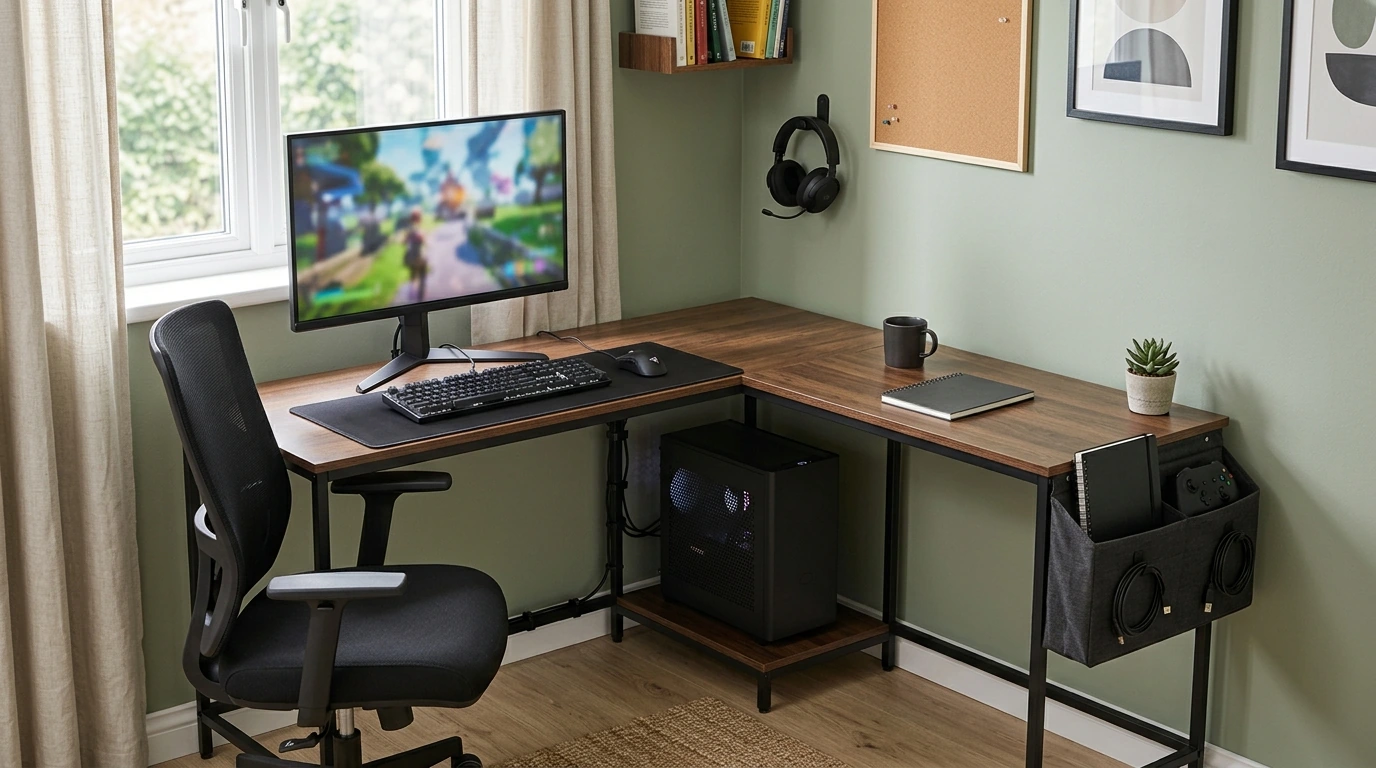
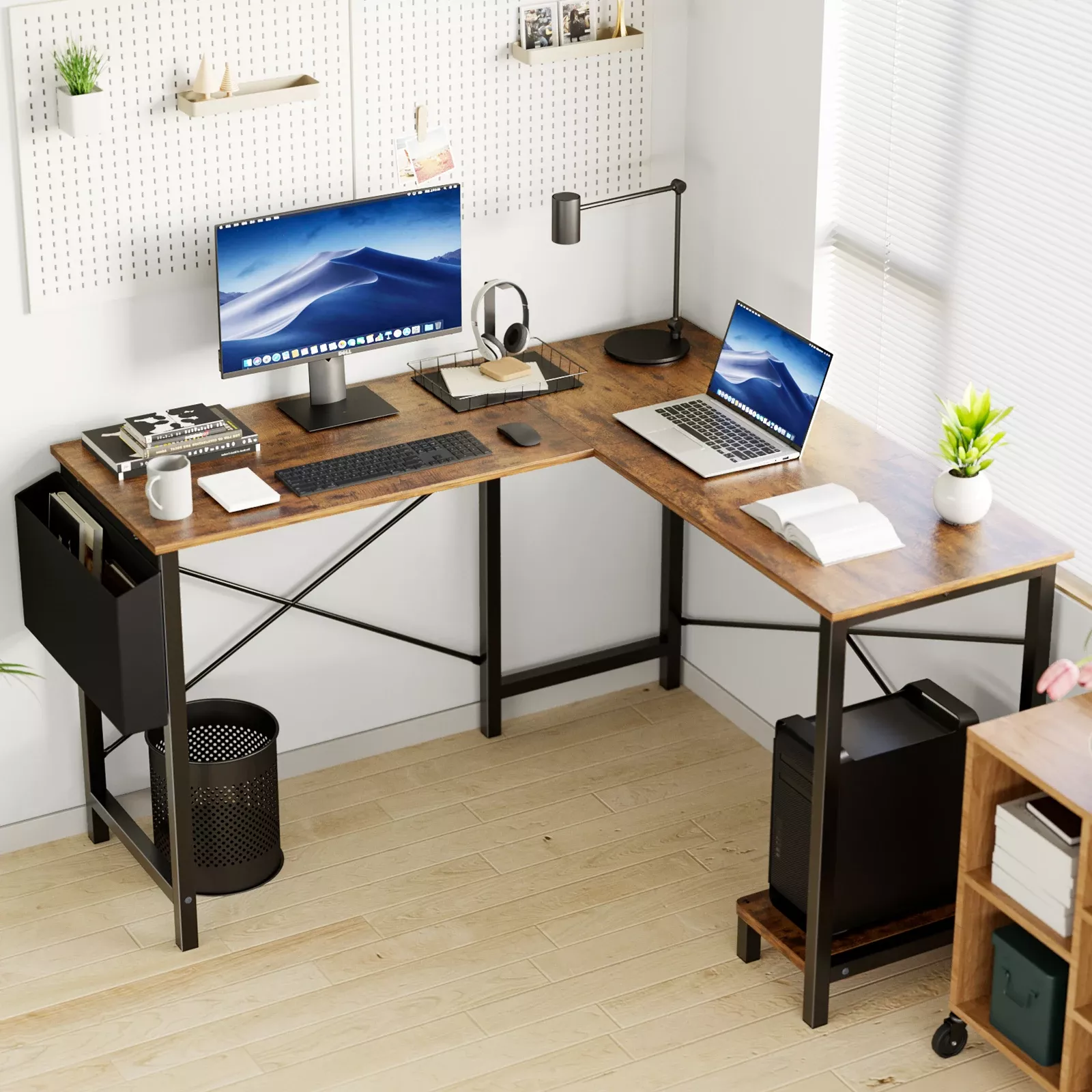
L-Shaped 50-Inch Gaming Desk with CPU Storage & Side Bag for Home Office
A home office setup has to do double duty: focused work by day, smooth play after hours. This L-shaped 50-inch desk is built to help keep the surface clear, the tower protected, and essentials within reach—so the corner of a room can feel like a complete command center without taking over the whole space.
Why an L-shaped desk changes the way a room works
If you’ve ever tried to squeeze a full setup onto a straight desk, you know how quickly your “work surface” turns into a pile. An L-shape solves that by using space that often goes unused: the corner.
- Turns an underused corner into a practical workstation with two directions of usable surface.
- Creates natural zones: one side for monitor/keyboard, the other for writing, peripherals, or a second screen.
- Makes it easier to keep cables and accessories routed to one side while keeping the main work area open.
- Supports “work + play” setups by separating meeting/work tools from gaming gear without needing a second desk.
In a small room, that zoning is the difference between “everything is in my way” and “everything has a place.”
Built-in storage that keeps the desktop clear
A cleaner desktop isn’t just about looks—it’s about fewer interruptions. When your controller, charger, dongle, and notebook all have a home, you spend less time hunting and more time doing.
- CPU storage area helps keep a desktop tower off the floor where dust and accidental bumps are more common.
- Side storage bag keeps small daily items (controllers, chargers, notebooks, adapters) organized and easy to grab.
- A clearer surface means more room for mouse movement, writing space, and a cleaner look on camera for calls.
- Keeping accessories in a dedicated spot reduces “where did I put that?” moments during the workday.
Quick setup planner: what goes where
| Desk zone | Best items to place there | Why it works |
|---|---|---|
| Main surface (primary arm reach) | Monitor, keyboard, mouse | Stable, uncluttered space for long sessions |
| Return surface (secondary zone) | Printer, notebook, docking hub, speakers | Keeps the main zone open while staying accessible |
| CPU storage area | Desktop tower / power strip (if it fits safely) | Protects gear and reduces floor clutter |
| Side bag | Headset, controllers, charging cables, USB drives | Fast access without spreading accessories across the desk |
A comfortable home office layout for longer sessions
Once your layout is stable, comfort becomes the “performance upgrade” you feel the most. Our team recommends starting with basic workstation ergonomics, then fine-tuning to your workflow and games.
- Start with chair height: elbows roughly level with the desktop when typing, shoulders relaxed.
- Position the primary monitor in front of the main seating position to avoid twisting; use the return side for secondary gear.
- Leave a clear “mouse lane” so wrist movement stays smooth, especially for gaming or design work.
- Use the corner shape to guide cable paths: run power and data to one side so the other side stays clean.
If you want deeper guidance on posture, monitor height, and neutral wrist positioning, you can also reference OSHA’s Computer Workstations eTool and the Mayo Clinic office ergonomics guide.
Who this desk fits best
- Remote workers who need a compact workstation that still feels like a full office.
- Gamers building a first serious setup and wanting a cleaner, more organized surface.
- Students balancing classes, streaming, and projects with limited room space.
- Anyone who wants dedicated storage for a PC tower and daily essentials without adding separate organizers.
Before ordering: simple fit checks for your space
A corner desk is easiest to love when it’s planned like a “mini layout project.” A couple of quick measurements can prevent frustrating cable stretches, cramped leg room, or awkward chair movement.
Room-fit checklist
| What to measure/check | Target outcome | Tip |
|---|---|---|
| Corner footprint | Desk fits without blocking doors/drawers | Tape the shape on the floor before committing |
| Chair clearance | Easy slide-in and swivel | Leave extra space behind the chair if possible |
| Outlet & cable path | Power reaches without stretching cords | Place the PC side closer to outlets |
| CPU airflow | Tower vents stay clear | Avoid pushing the tower flush against walls |
Product spotlight: the desk that keeps gear organized
At a glance
| Detail | Value |
|---|---|
| Product | L-Shaped 50-Inch Gaming Desk with CPU Storage & Side Bag for Home Office |
| Price | 83.97 USD |
| Availability | In stock |
More in-stock picks our team can pair with a long-session setup
- Low Waist Cargo Pants for an easy, relaxed fit when you’re moving between focus time and breaks.
- autumn-womens-coat for cooler rooms or quick errands between meetings.
FAQ
Will a desktop PC tower fit in the CPU storage area?
Tower sizes vary, so measure your PC’s height, width, and depth and compare it to the CPU storage space before you commit. Make sure the tower’s intake and exhaust vents stay unobstructed so airflow isn’t restricted.
Is this desk better for gaming, work, or both?
It’s a strong hybrid choice because the L-shape naturally creates separate zones for productivity tools and gaming gear. The side bag helps keep accessories organized, and the CPU storage supports a cleaner background and surface for everyday work.
How do I decide whether the return should be on the left or right?
Choose the orientation that matches your room’s outlets, your preferred cable-routing direction, and where you want the PC tower to sit. It also helps to consider which side you want open for your dominant-hand mouse space during long sessions.













Leave a comment