

Amplified Indoor TV Antenna: HD/4K Setup & Range Tips
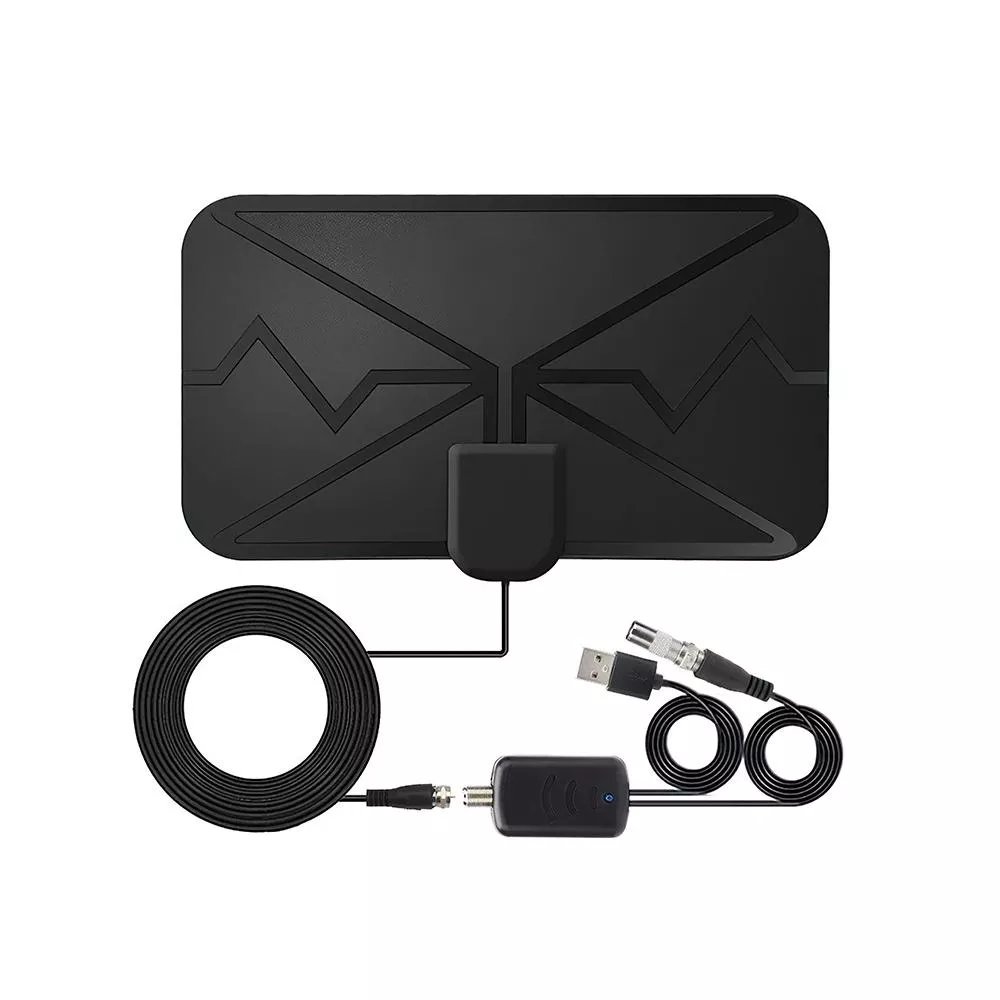
300-Mile Digital TV Antenna with Amplifier for HD & 4K Reception
A long-range indoor TV antenna with a built-in amplifier can help pull in more free over-the-air channels, especially when signals are weak or the cable run is long. This guide explains what this style of antenna is best at, where it can struggle, how to set it up for reliable reception, and how to choose the right option for a specific home.
What This Antenna Is Designed to Do
A digital indoor TV antenna is built to receive local broadcast stations without a monthly bill. Connected to your TV’s antenna input, it can deliver major networks and other over-the-air channels your market provides.
- Receives free over-the-air broadcast channels (locals such as major networks) using an indoor TV antenna connection.
- Uses an amplifier to boost signal levels to the TV or tuner, which can help when signals are modest or when using longer coax runs.
- Supports HD and 4K broadcasts where available; picture quality depends on the broadcaster’s format and the TV’s tuner, not the antenna alone.
- Works with televisions that have a built-in ATSC tuner or with an external over-the-air tuner/DVR.
For a plain-language overview of consumer antenna rights and reception basics, the FCC’s guidance is a useful reference: FCC — The Public and Broadcasting (TV reception and antennas).
Amplified vs. Non‑Amplified Reception
An amplifier (often called a signal booster) is mainly about overcoming losses between the antenna and your tuner. That can matter indoors, where coax length, adapters, and splitters quickly add up.
- An amplifier can help compensate for signal loss introduced by long coax cables, splitters, or marginal indoor placement.
- Amplification cannot create a clean signal if the antenna cannot “see” enough usable broadcast signal to begin with; it mainly boosts what’s already present.
- In very strong-signal locations, amplification can overload the tuner and cause dropouts; in those cases, turning the amplifier off (if supported) or adding attenuation can help.
- If a home uses a splitter to feed multiple TVs, an amplifier can help maintain usable signal levels across outputs, but splitter quality and cable condition still matter.
| Situation | Typical outcome | What to try |
|---|---|---|
| Long coax run (25–50+ ft) from antenna to TV | Signal may arrive weaker at the tuner | Use amplification; use RG-6 coax; avoid unnecessary adapters |
| Multiple TVs via splitter | Splitter introduces loss | Use a quality splitter; consider an amplified distribution unit if feeding several rooms |
| Very strong nearby towers | Risk of tuner overload and intermittent reception | Disable amplification if possible; reposition antenna; add an attenuator |
| Indoor placement behind metal or concrete | Signal may be blocked or reflected | Move near a window; raise placement; avoid metal screens and foil insulation |
Range Claims and What “300 Miles” Means in Real Homes
Indoor TV reception is highly location-dependent. Terrain, transmitter power, tower height, local RF noise, and what your home is made of all affect results—so a single “300-mile” figure won’t predict what you’ll get in every room or every neighborhood.
- Indoor TV reception depends on terrain, tower distance, building materials, and interference sources; a single range number does not predict results for every location.
- Obstructions such as hills, dense buildings, metal siding, radiant barriers, and low-E window coatings can reduce usable signal indoors.
- Higher placement (even a few feet) and a clear-facing window can produce a larger improvement than changing equipment.
- The most reliable approach is to check real tower locations, then optimize antenna placement and scanning.
If your area has NextGen TV (ATSC 3.0), that’s a tuner-and-broadcast feature rather than an “antenna feature.” An antenna can receive the signal, but your device must support it. More detail is available here: ATSC — About ATSC 3.0 (NextGen TV).
How to Set It Up for the Best Reception
Small placement changes can make the difference between stable channels and constant pixelation. Treat setup like a quick, repeatable test: move, scan, confirm, then refine.
- Locate broadcast towers: identify which direction local transmitters are located, then start with the antenna facing that direction.
- Place the antenna high and near an exterior wall or window: avoid placing it behind a TV, inside a cabinet, or near large metal objects.
- Reduce interference: keep the antenna and coax away from Wi‑Fi routers, USB 3.0 hubs, microwaves, and power bricks when possible.
- Connect directly to the TV first: no splitter during initial testing; confirm your baseline channel list before adding complexity.
- Run a full channel scan after moves: rescanning is required for the tuner to map available channels.
How to Choose the Right Antenna for a Specific Home
For deeper technical background on indoor reception variables, general research references from NIST can be helpful: NIST.
Compatibility and What You Need
Troubleshooting Common Problems
FAQ
Will an amplified indoor antenna work if towers are far away?
Sometimes, but amplification mainly helps with cable/splitter losses and modest signals—it can’t overcome heavy terrain blockage or severe indoor attenuation. If towers are distant, start by confirming tower direction, optimizing window placement and height, and consider attic or outdoor placement if indoor results are inconsistent.
Do antennas affect picture quality for HD or 4K?
An antenna doesn’t “create” HD or 4K; it receives whatever the broadcaster transmits. Picture quality is driven by having a strong, clean signal and by the broadcaster’s format and your tuner—stable reception prevents pixelation and dropouts.
Why does reception get worse after turning on the amplifier?
In strong-signal areas, an amplifier can overload the TV’s tuner and cause intermittent reception; in other cases it can add noise or amplify interference. Try turning the amplifier off (if possible), repositioning the antenna, or adding an attenuator to reduce signal level.













Leave a comment