

Ergonomic Office Chair with Lumbar Support and Armrests
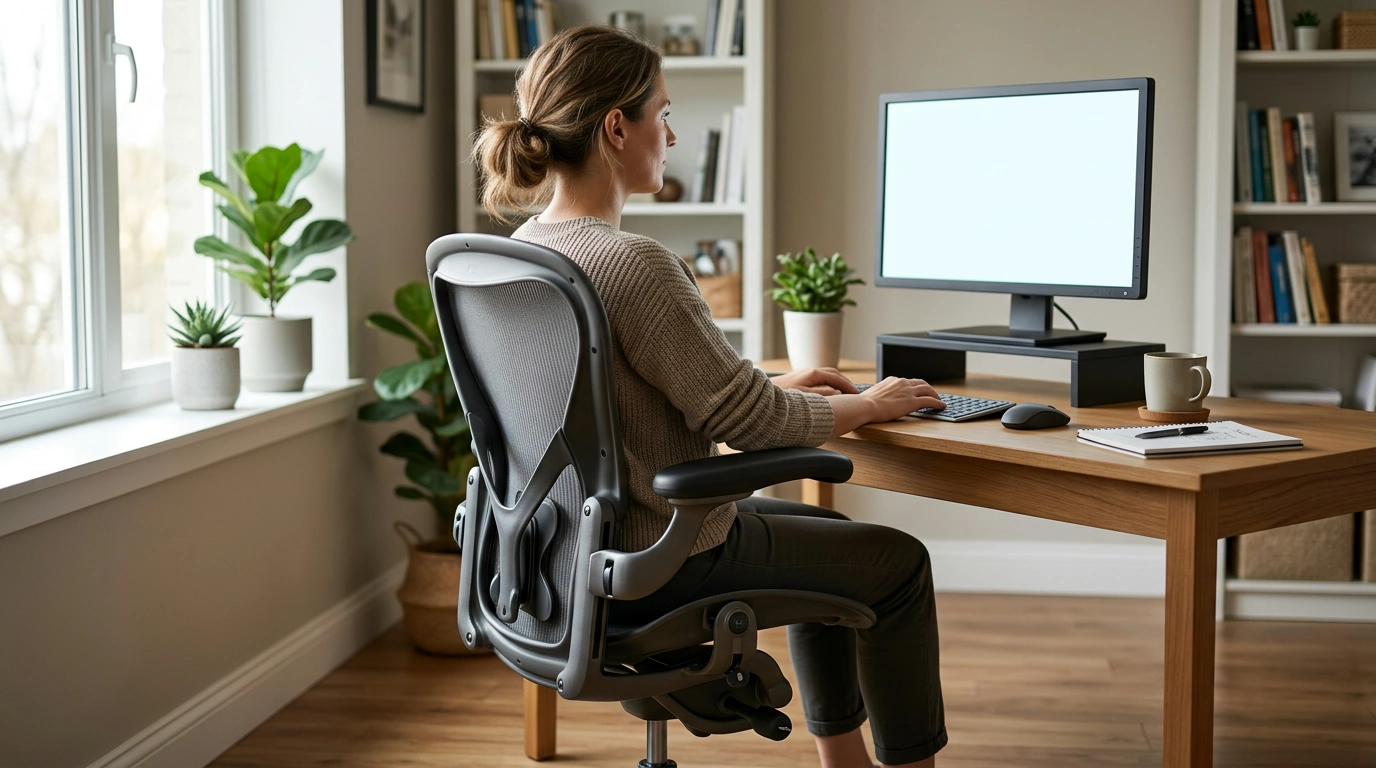
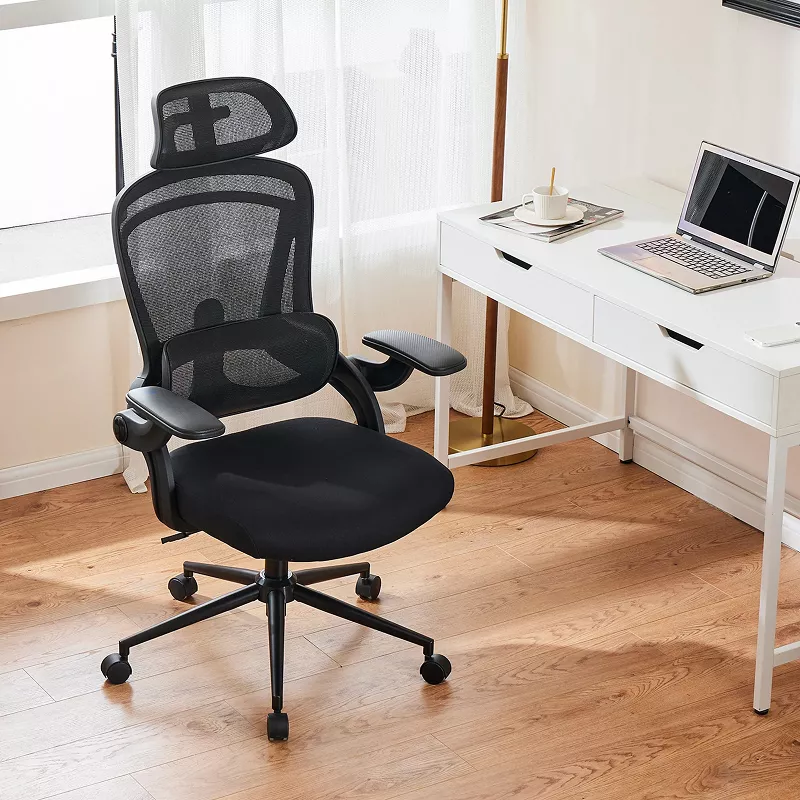
A comfortable home office starts with a workspace that fits the way you work. Our Ergonomic Office Chair with Lumbar Support and Armrests offers a practical seating option for everyday desk tasks, with support for your lower back and a place to rest your arms. It is currently listed at $47.51.
Whether you are answering emails, attending a video meeting, or planning your week, your chair is only one part of the setup. A supportive seat works best alongside a desk, screen, and routine that allow you to sit comfortably and change positions throughout the day.
Support for Your Daily Routine
Lumbar support is designed to follow the natural curve of your lower back while you sit. When your back is supported, it can be easier to settle into a comfortable seated position rather than leaning forward toward your screen. Take a moment to sit back and notice whether the support feels comfortable for your body.
Armrests give your arms a place to rest during desk work or between tasks. Ideally, your shoulders can stay relaxed while your forearms are supported. You should not have to lift your shoulders or push your elbows outward to use them. Your desk height and the position of your keyboard also play a role in how comfortable your arms feel.
We see this chair as an option for the ordinary demands of a home office, from focused work sessions to household paperwork. Comfort is individual, so consider how the chair will fit with your desk and your typical workday before deciding whether it is right for you.
Setting Up Your Workspace
Start with your feet. Both should have a stable surface beneath them, with your knees near hip level. If your feet do not comfortably reach the floor in your chosen seated position, a stable footrest can help. Avoid letting your legs hang unsupported for long periods.
Next, look at your screen. Position it near eye level so you do not have to keep your head tilted up or down for extended periods. Place your keyboard and mouse where you can reach them without stretching forward, and keep frequently used items close enough that you do not need to twist repeatedly.
Finally, check your shoulders while typing. They should feel relaxed, with your elbows near your sides and your forearms supported. If the desk surface is too high or too low for your seated position, consider how you can arrange your equipment to create a more natural reach.
| Area | What to look for |
|---|---|
| Lower back | Support that follows the natural curve of the spine |
| Arms | Relaxed shoulders and supported forearms |
| Feet | A stable surface beneath both feet |
| Screen | A position that avoids prolonged neck strain |
For more guidance on arranging a workstation, see OSHA’s guide to computer workstation chairs and Mayo Clinic’s office ergonomics tips.
Make Comfort Part of the Workday
Even a well-arranged workspace benefits from movement. Change your position regularly, stand up when you can, and take short breaks to walk or stretch. You might use a natural pause between meetings or tasks as a reminder to move. The goal is to avoid remaining in one position for too long.
Your chair, desk height, and individual fit work together. For example, a desk that gives your keyboard a comfortable position may still leave your screen too low. A separate screen stand or a different arrangement of your equipment may help you bring the pieces into better alignment. Make one change at a time and notice how it feels during your normal tasks.
Before ordering, consider the space available at your desk, including room for the chair and your legs. Think about how long you typically sit, whether you use a laptop or separate monitor, and where you need support during the day. These practical details can help you choose a setup that suits your routine rather than one that merely looks convenient.
If your workday also includes a trip outside, you can browse our autumn-womens-coat alongside your home-office essentials. Choose the items that make sense for your own schedule and space.
Bring Support to Your Desk
Our chair brings lumbar support and armrests to your workspace at a listed price of $47.51. Pair it with a thoughtfully arranged desk and regular movement breaks to build a routine that feels more comfortable for you. Visit the product page for current price and availability.
Before choosing, compare the product details with your daily routine, available space, care needs, and preferred setup. The strongest option is usually the one that fits the intended use clearly and remains simple to clean, store, and check before repeat use.
FAQ
Why is lumbar support useful in an office chair?
Lumbar support helps maintain the natural curve of your lower back while you sit. A comfortable fit can help you settle back in your chair during desk work.
How should my arms rest while working at a desk?
Keep your shoulders relaxed and your forearms supported, with your elbows near your sides. Avoid forcing your elbows outward or lifting your shoulders to reach the armrests or keyboard.
Is this chair in stock?
The chair is currently listed as in stock at $47.51. Visit the product page for current price and availability.














Leave a comment