

Mini RC Drone: HD Camera, 360 Flip, 2.4G, Return
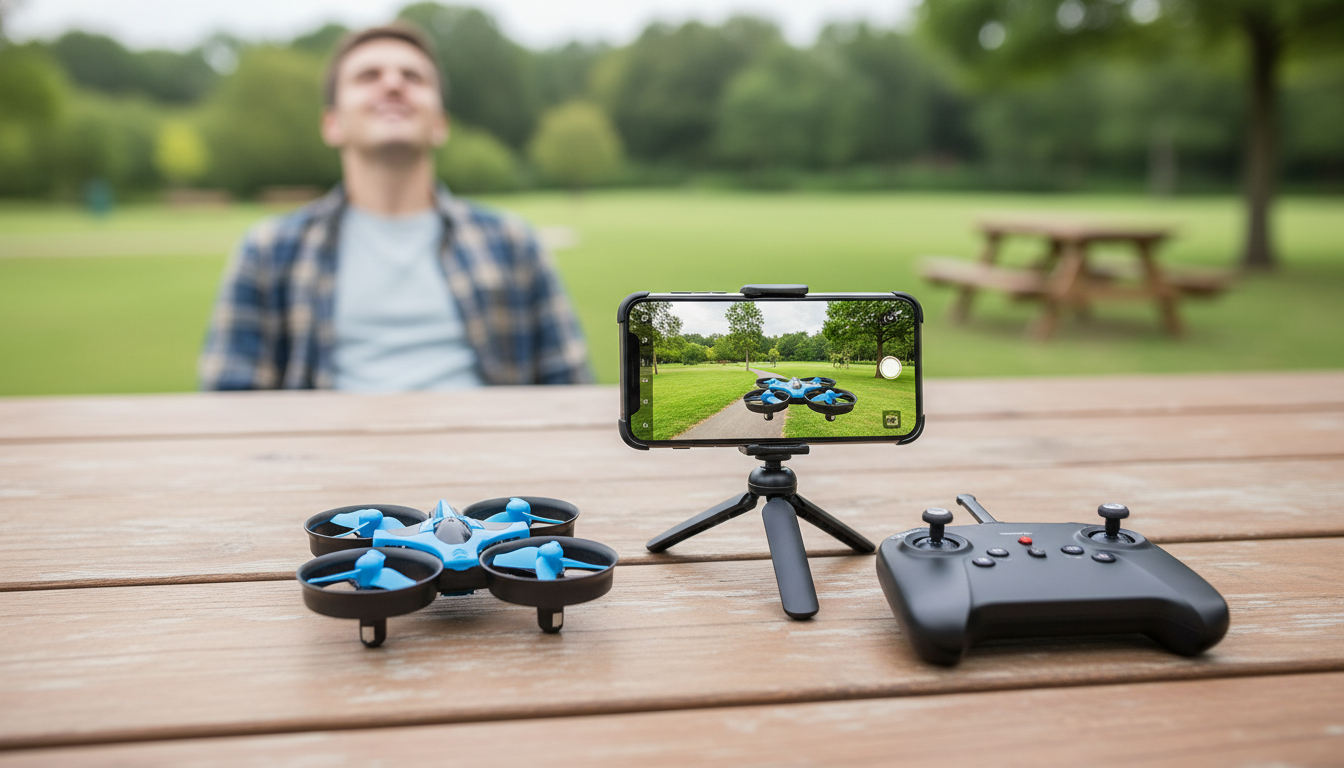
Mini RC Drone with HD Camera, 360° Flip, 2.4G Remote Control, One-Key Return
A mini RC drone is at its best when it keeps things simple: quick setup, stable short flights, and controls that help new pilots build confidence fast. This compact quadcopter is designed for easy indoor flying, fun aerial snapshots, and beginner-friendly recovery features. With a built-in HD camera, 360° flip mode, a 2.4G remote control link, and one-key return, it’s a solid pick for first-time pilots and casual weekend sessions.
Quick Look: What This Mini Drone Is Built For
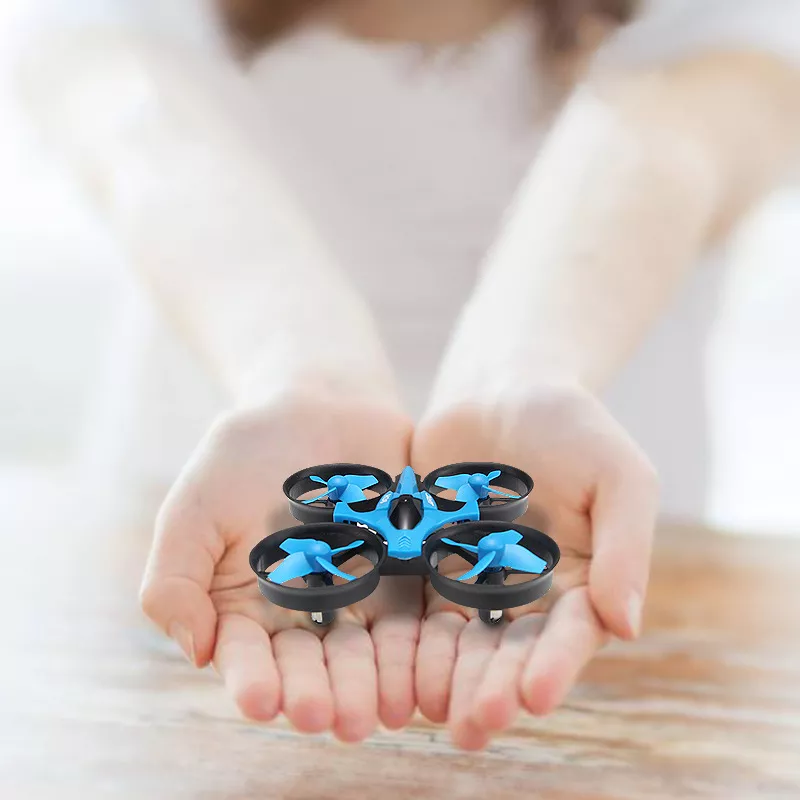
- Small, lightweight frame that fits well in living rooms, bedrooms, and calm outdoor spaces.
- HD camera for basic aerial photos and short clips—great for fun angles rather than “movie” footage.
- 360° flips for learning tricks once steady hovering becomes consistent.
- 2.4G remote control designed to reduce interference compared with older 27/49 MHz toy controllers.
- One-key return to help bring the drone back when you lose orientation.
Main Features and What They Mean in Real Use
- HD camera: Expect the best results up close and in good lighting. Slower movements and steady hovering noticeably improve clarity.
- 360° flips: Flips are a great way to practice throttle timing and recovery control. Trigger flips with extra altitude so you have room to stabilize afterward.
- 2.4G remote control: Helpful when multiple devices are nearby, supporting a steadier-feeling connection in typical home environments.
- One-key return: A beginner-friendly “reset” tool, especially when left/right orientation gets confusing. Results can vary depending on obstacles and the drone’s facing direction.
- Mini frame advantages: Easy to carry and store. The trade-off is that small drones are usually more affected by wind outdoors.
Setup Checklist Before the First Flight
- Charge fully before flying, and let the battery/motors cool briefly between flights.
- Remote power: Install remote batteries (if required) and follow the correct power-on sequence for pairing.
- Clear your space: Move fragile items, keep distance from pets, and avoid ceiling fans or hanging lights.
- Start slow: Use low speed mode (if available) until hover and gentle turns feel repeatable.
- Calibration/leveling: If your model supports it, set the drone on a flat surface and calibrate to reduce drifting.
Beginner Flight Plan: Learn Fast Without Crashes
1) Hover practice (the fastest skill-builder)
Lift to about knee height and hold position for 10–20 seconds. Land, reset, and repeat. Short, repeatable flights build muscle memory faster than one long “white-knuckle” flight.
2) Box pattern (orientation without panic)
Fly a slow square: forward, right, back, left. Keep turns gentle and focus on controlling drift rather than chasing the drone with sudden stick inputs.
3) Nose-in hovering (the tricky milestone)
Practice with the drone facing you. Controls feel reversed, and this is where most beginners get disoriented—take it slow and stay low until it clicks.
4) Flip practice (add altitude, then recover)
Climb higher than head level, pause to stabilize, then trigger a flip. Immediately return to a steady hover. If you flip too close to the ground or too close to a wall, recovery becomes much harder.
5) Use one-key return like a safety net
One-key return is best treated as a recovery tool when you’re momentarily confused, not as a replacement for learning basic left/right and forward/back control.
Performance Factors: Indoor vs Outdoor Flying
Mini drones shine indoors because there’s no wind, but indoor obstacles demand precision. Outdoors, choose calm conditions—light gusts can move a small drone surprisingly fast. For camera use, slow flight and stable hovering reduce blur, and avoiding fast yaw spins helps keep footage easier to watch.
Where It Flies Best
| Environment | What Works Well | What to Watch For |
|---|---|---|
| Living room / bedroom | Hover drills, slow turns, quick photos | Walls, mirrors, lamps, ceiling fans |
| Garage / basement | More space for box patterns and flips | Low light can reduce camera clarity |
| Backyard (calm day) | Wider turns, higher altitude practice | Wind drift, trees, power lines |
Battery, Charging, and Flight Session Tips
- Plan multiple short flights instead of one long session—takeoffs and landings teach control quickly.
- Cool-down breaks matter: Let motors and the battery cool between runs to reduce wear.
- Watch for low-battery behavior: If controls feel sluggish or hover gets unstable, land—pushing a low battery can lead to sudden drops.
- Store safely: Keep batteries in a cool, dry place and avoid leaving them plugged in unattended.
Care, Spares, and Safe Handling
Who This Mini Drone Fits Best
Product Options Available Now
- Mini RC Drone with HD Camera, 360° Flip, 2.4G Remote Control, One-Key Return (budget-friendly starter drone for indoor fun and basic aerial recording)
- The Anxiety Relief Bundle: A Path to Calm | 4-in-1 Bundle (a practical add-on for downtime between flight sessions, travel days, or gift bundles)
Helpful Safety References (External)
- FAA — Recreational Flyers & Drone Safety
- FAA — B4UFLY (Know Before You Fly)
- FCC — Equipment Authorization (Radio Devices)
FAQ
Does one-key return bring the drone back to the exact takeoff spot?
On many mini drones, “one-key return” is a simplified function and not the same as GPS return-to-home. It can help you regain direction and bring the drone closer, but exact accuracy depends on the model, obstacles, and the drone’s orientation.
How can video look less shaky on a mini drone camera?
Use bright lighting, hover steadily, and move slowly—quick turns and fast yaw spins tend to add blur and wobble. For the smoothest clips, avoid recording during flips and fly indoors or outdoors only in very calm weather.
Is a small RC drone with a camera suitable for outdoor flying?
Yes, as long as wind is very light and you choose an open area with clear line of sight. Small drones are more wind-sensitive, so calm days and gentle inputs make a big difference in control and camera results.











Leave a comment