

Portable 720p Projector: WiFi 6, BT 5.0 & 200″ Setup Tips
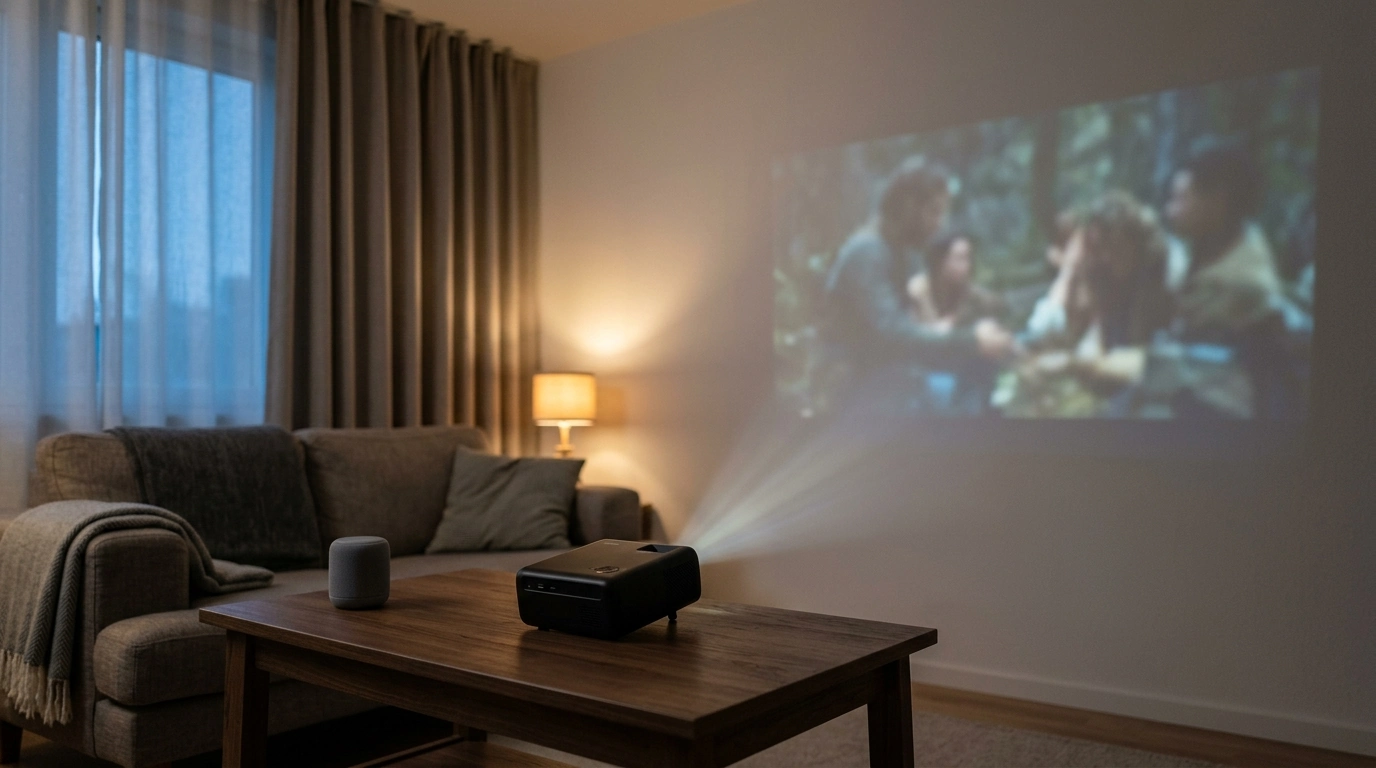
Portable 720P HD Projector with WiFi 6 & BT 5.0: a ready-to-go screen cinema for home and outdoors
Movie night shouldn’t require a permanent TV wall or a complicated setup. Our portable 720P HD projector combines fast wireless connectivity (WiFi 6) with Bluetooth 5.0 and a big-screen feel (up to 200 inches) so your living room, bedroom, patio, or weekend getaway can turn into a simple, cozy cinema. Below, our team walks you through practical placement, easy connections, and the small adjustments that make the picture and sound feel “finished,” indoors or outside.
What this mini cinema is built for
- A big-screen experience without a large TV footprint—great for apartments, dorms, and multipurpose rooms where wall space is limited.
- Pop-up outdoor viewing for patios, backyard gatherings, camping, or travel (you’ll just want a power plan if you’re away from outlets).
- Quick wireless playback when your phone is the main source, plus flexible options for other devices depending on your setup.
- Easy sound upgrades: keep it quiet with headphones or go room-filling with a Bluetooth speaker.
Core features that make setup smoother
- 720P HD resolution for clear, enjoyable viewing—especially when you pair it with smart placement and basic lighting control.
- WiFi 6 support designed to keep wireless connections responsive in busy homes (your router and streaming device still matter).
- Bluetooth 5.0 for pairing compatible speakers or headphones so audio stays with the screen instead of your phone.
- Up to a 200-inch image size for an immersive feel; practical sizing depends on distance, surface, and ambient light.
- Portable form factor so you can move it room-to-room or pack it for trips.
Feature-to-Use Map (quick decisions)
| Feature | Best used for | Tip for better results |
|---|---|---|
| WiFi 6 | Wireless casting/streaming where networks are crowded | Keep the projector within reliable WiFi range; reduce interference by keeping it away from large electronics when possible |
| Bluetooth 5.0 | External speaker or headphone audio | Pair the speaker first, then start playback to avoid mid-stream switching |
| Up to 200″ screen size | Backyard-style viewing or big blank walls | Bigger isn’t always better—choose a size that stays bright and clear for your space |
| Portable design | Room-to-room and travel | Use a stable surface or tripod/stand to keep the picture aligned |
A simple “backyard movie night” setup (and the indoor equivalent)
Connecting your devices: wireless and Bluetooth in everyday terms
- For wireless video: Streaming and casting behave best when your phone/tablet and projector are on a stable network. If you can, keep your router reasonably close and avoid placing the projector behind dense furniture or near interference-heavy electronics.
- When the house WiFi is busy: WiFi 6 can help maintain smoother performance when multiple devices are online at once. (Capability still depends on the router and the device you’re streaming from.) For technical background, you can reference the IEEE 802.11 working group overview at IEEE 802.11.
- For Bluetooth audio: Bluetooth 5.0 lets you keep the picture on the wall while moving sound closer to your audience—especially helpful outside, where built-in audio can get lost.
- For late nights: Bluetooth headphones can make a big-screen session possible without waking anyone up.
- If audio feels slightly off: Re-pair the Bluetooth device and restart playback. Also keep the speaker reasonably close to reduce dropouts. For specs background, see the Bluetooth Core Specification.
Getting the best picture: placement, focus, and comfort
If you’re planning around distance and screen size, throw distance basics can help you estimate placement; ProjectorCentral’s tools are a solid reference: ProjectorCentral projection calculator.
Fast Setup Checklist (printable-style)
| Step | Indoor | Outdoors |
|---|---|---|
| Surface | White wall or screen | Screen/sheet pulled tight and secured |
| Lighting | Dim overheads, reduce glare | Wait for dusk; avoid nearby lights |
| Placement | Stable table/shelf, centered | Stable stand/table; protect from dew/wind |
| Sound | Bluetooth speaker/headphones optional | Bluetooth speaker recommended for impact |
| Comfort | Add a backlight or lamp behind seating | Blankets, seating, and a safe walkway around cables |
Who this projector fits best (and when a different approach helps)
What to keep nearby for a smoother experience
In-stock picks from our store
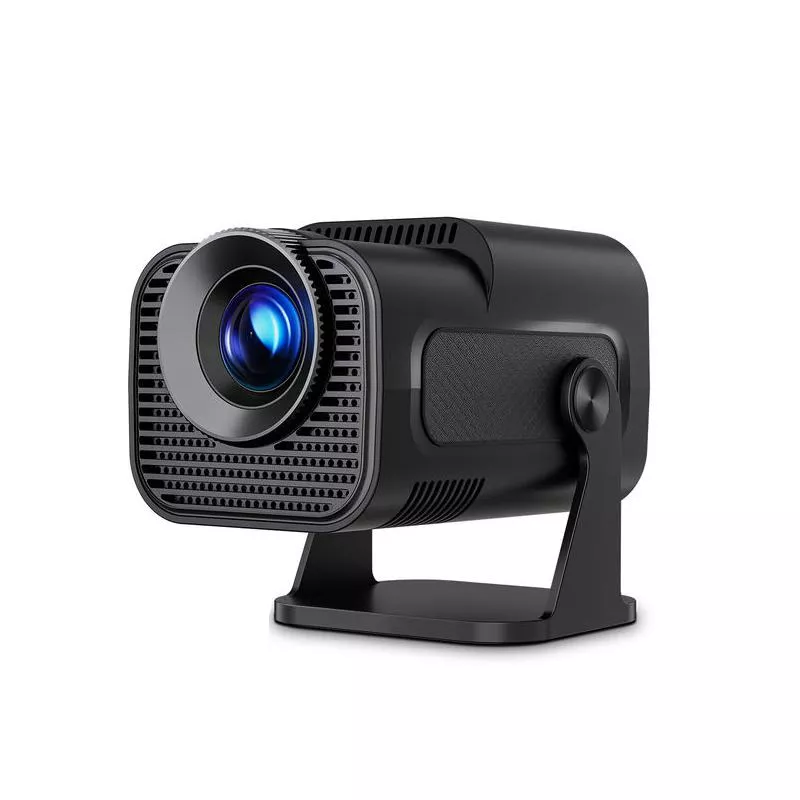
- Portable 720P HD Projector with WiFi 6, BT 5.0 & 200″ Screen – Mini Cinema for Home & Outdoors
- Baby Bathing Pillow
- Low Waist Cargo Pants
FAQ
Can the projector connect to a Bluetooth speaker and still use WiFi for streaming?
Yes—WiFi handles streaming/casting while Bluetooth handles audio. Pair your speaker first, keep it within solid range, and if you notice timing issues, re-pair the speaker and restart playback.
How big should the screen be for a small room or backyard?
Start with a moderate size so brightness and text clarity stay comfortable, then increase gradually if the image still looks crisp from your seats. Darker environments let you go larger more comfortably than bright rooms or early-evening outdoor setups.
What’s the easiest way to improve picture quality without extra equipment?
Control ambient light, keep the projector square to the screen, and use a smoother/brighter surface (a clean wall can beat a wrinkled sheet). Stability matters too—small shifts or tilts get amplified on a big image.













Leave a comment